

Context7 Ask is an endpoint you add to your website. When an AI agent needs information about your product, it asks your website a question instead of crawling through your pages, and you see every question it asked.
People now ask AI agents about your product instead of reading your website. Ask shows you what those agents want to know, and which of their questions your website can’t answer yet.
Ask is part of Context7 and free to use.
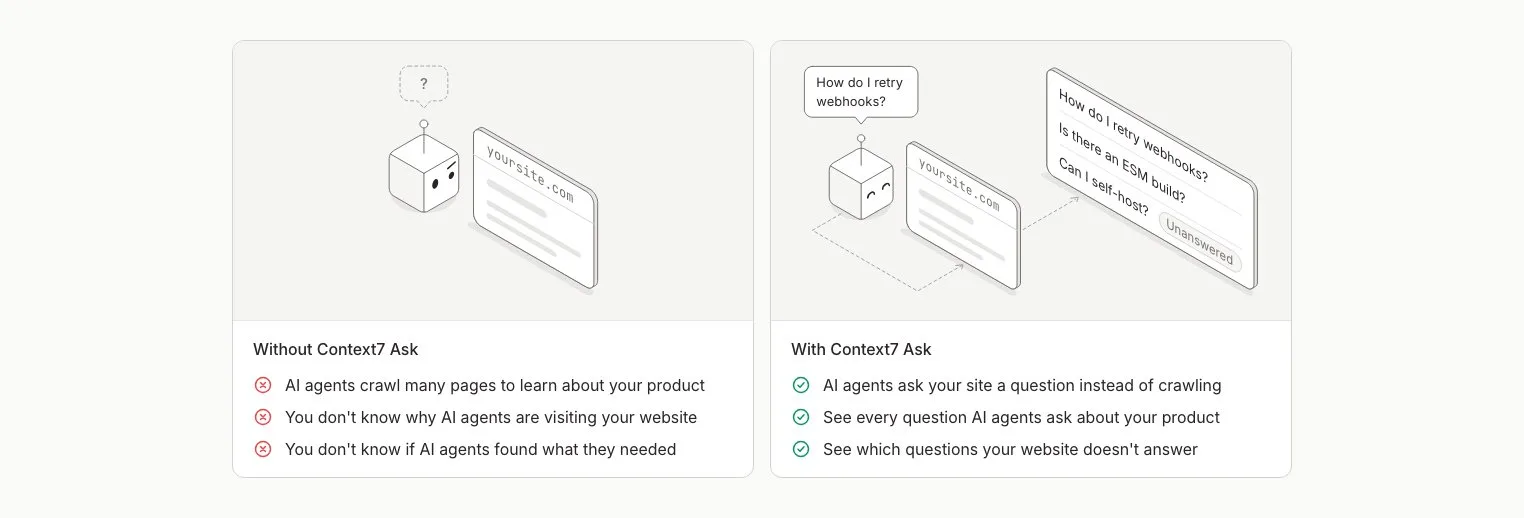
❌ Without Context7 Ask#
- ❌ AI agents crawl many pages to learn about your product
- ❌ You don’t know why AI agents are visiting your website
- ❌ You don’t know if AI agents found what they needed
✅ With Context7 Ask#
- ✅ AI agents ask your site a question instead of crawling
- ✅ See every question AI agents ask about your product
- ✅ See which questions your website doesn’t answer
How it works#
You add two things to your website: a verification tag in <head> and a short note at the top of <body>. People don’t see the note, but agents that read your page do. It tells them that your site has a search endpoint:
From there, it’s three steps:
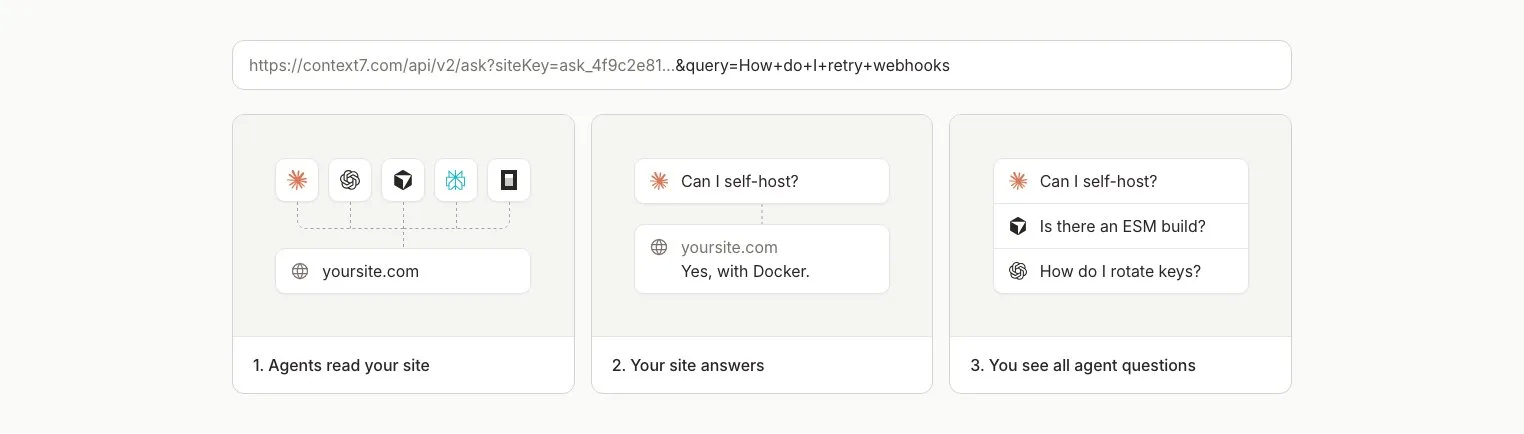
| Step | What happens |
|---|---|
| 1. Agents read your site | Claude, ChatGPT, Cursor and other agents find the endpoint in your page |
| 2. Your site answers | Context7 searches your pages and returns the parts that answer the question, each with its URL |
| 3. You see the questions | Every question shows up in the Ask dashboard, with the agent that asked it and the answer it got |
If nothing on your site answers a question, the agent is told so. It never gets a made-up answer, and you see the question in your Unanswered list.
Agents spend fewer tokens browsing your website, and you finally see what they’re looking for.
Plans#
| Plan | Sites |
|---|---|
| Free | 3 |
| Pro & Enterprise | No limit |
There is no charge for questions or answers on any plan.