

Setting up Ask takes two snippets: a verification tag that proves the site is yours, and a hidden note that tells agents where to ask their questions. Both go into the HTML your server returns.
Using a coding agent? Click Copy prompt for your agent in the dashboard and paste it into Claude Code, Cursor or Codex. The prompt has both snippets with your site’s key and opens a pull request for you.
1. Add your site#
Open context7.com/ask, click Add your site and enter your site’s URL. If your pages live under a path, include it, like https://example.com/docs.
You need to be an owner or admin of the teamspace to add a site.
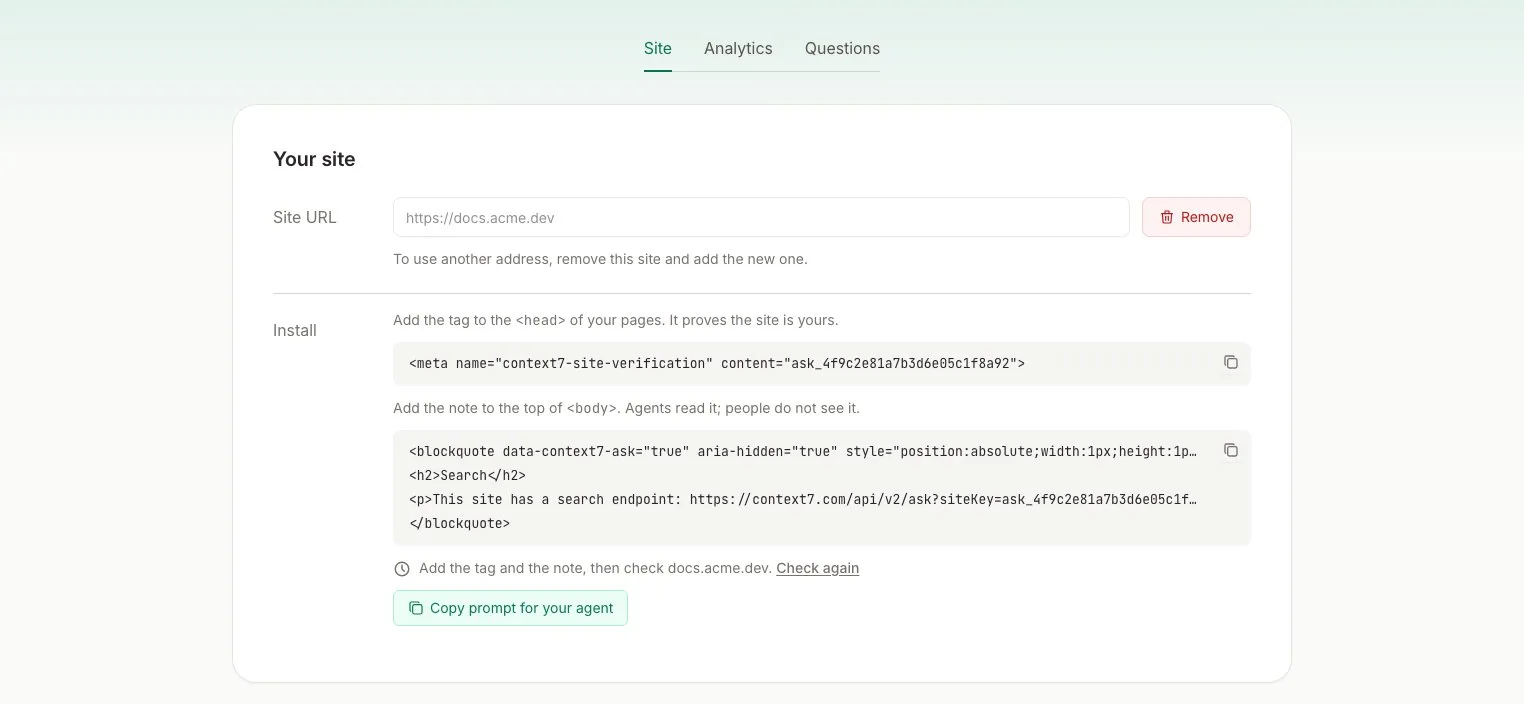
2. Add the tag to <head>#
The tag proves the site is yours. It’s the same method search consoles use, so only someone who controls your page template can add it.
Add it to the shared layout of your site, so every page has it.
3. Add the note to <body>#
Agents that read your page as text never see <head>, so the note goes at the top of <body>. It is hidden from people and from screen readers. Your design and page speed stay the same.
Copy the exact note from the dashboard. It has your site’s key.
Keep the data-context7-ask attribute. If your site already has a visually hidden class, like Tailwind’s sr-only, you can use it in place of the style attribute.
Both snippets have to be in the HTML your server returns. Don’t add them with client-side JavaScript, because agents and the verification check don’t run it.
4. Verify#
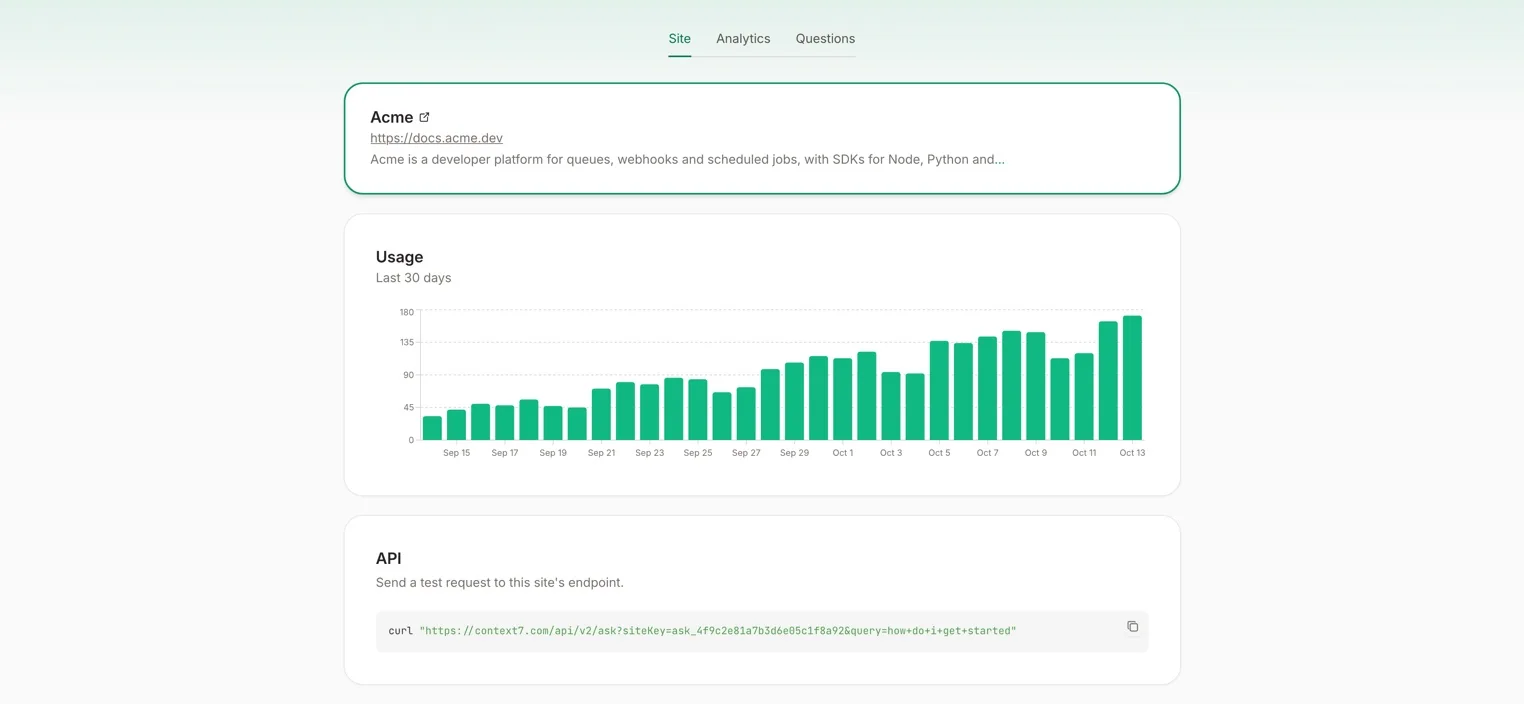
Deploy your site, then click Check again in the dashboard. Context7 loads your site, looks for the tag and the note, and then reads your pages. Once that’s done, agents get answers, and the Site tab shows your site’s usage.
Test it#
You can ask your site a question yourself, from the API card on the Site tab or with curl:
The response is plain text: the parts of your pages that answer the question, each with its URL. Your question shows up in the Questions tab right away.
| Status | Meaning |
|---|---|
200 | The answer, or a message that nothing on your site matched |
202 | Context7 is still reading your site. Try again shortly |
404 | No site is published for that key |
Optional: llms.txt, markdown pages and headers#
Some agents never read your HTML. They fetch llms.txt, a .md version of a page, or only the response headers. The prompt from Copy prompt for your agent adds the endpoint to all of these too:
- A Search section in
llms.txtandllms-full.txt - The same section at the end of each markdown page
- A
Linkheader withrel="search"on every page response
These are optional. The tag and the note are all Context7 checks.