

Every question an agent sends to your site ends up in the Ask dashboard: which agent asked it, whether your pages had an answer, and what the agent got back. Open context7.com/ask and pick a site to see them.
Analytics#
The Analytics tab shows which agents ask your site, and what they ask. Pick the last 24 hours, 7 days or 30 days at the top.
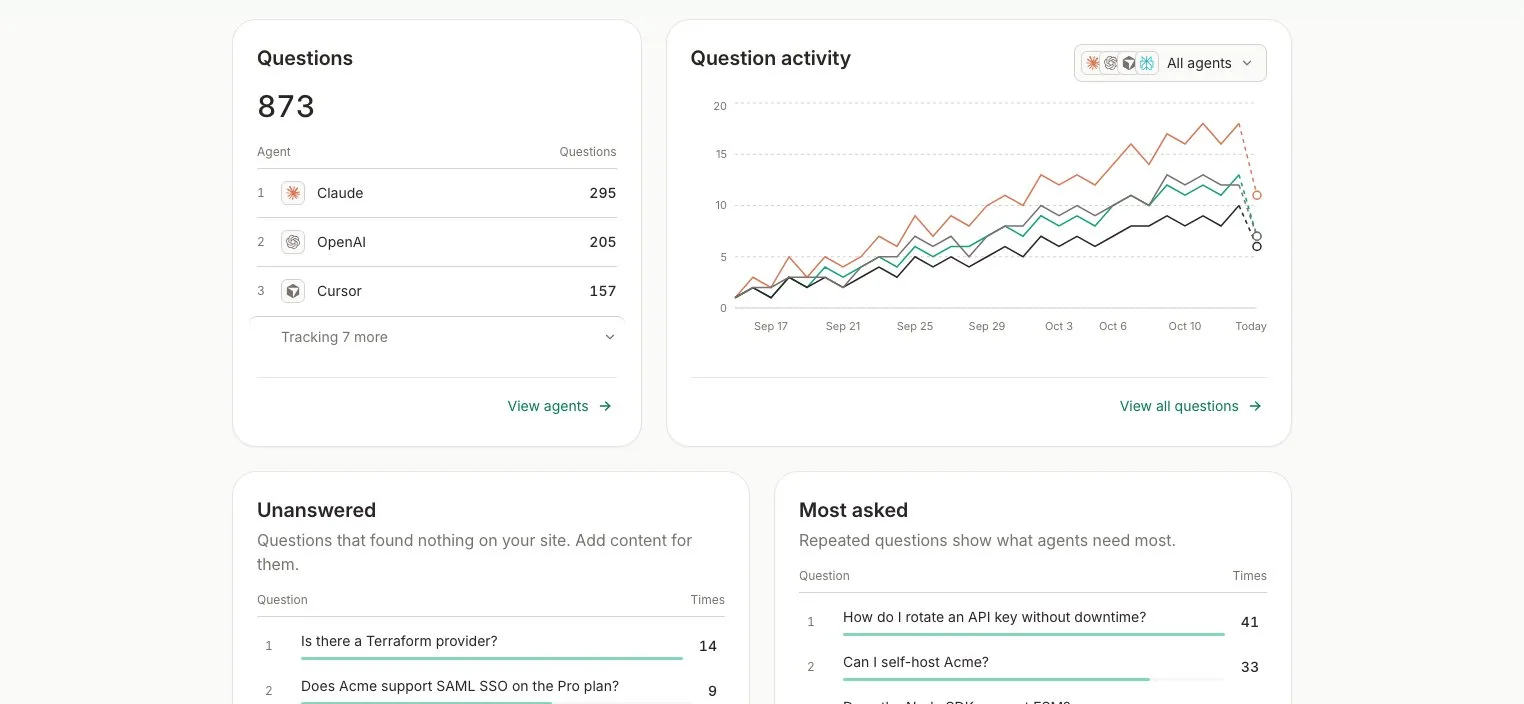
| Card | What it shows |
|---|---|
| Question activity | Questions per day, split by agent |
| Questions | How many questions each agent asked |
| Unanswered | Questions that found nothing on your site |
| Most asked | The questions agents repeat most |
| Recent questions | The latest questions agents asked |
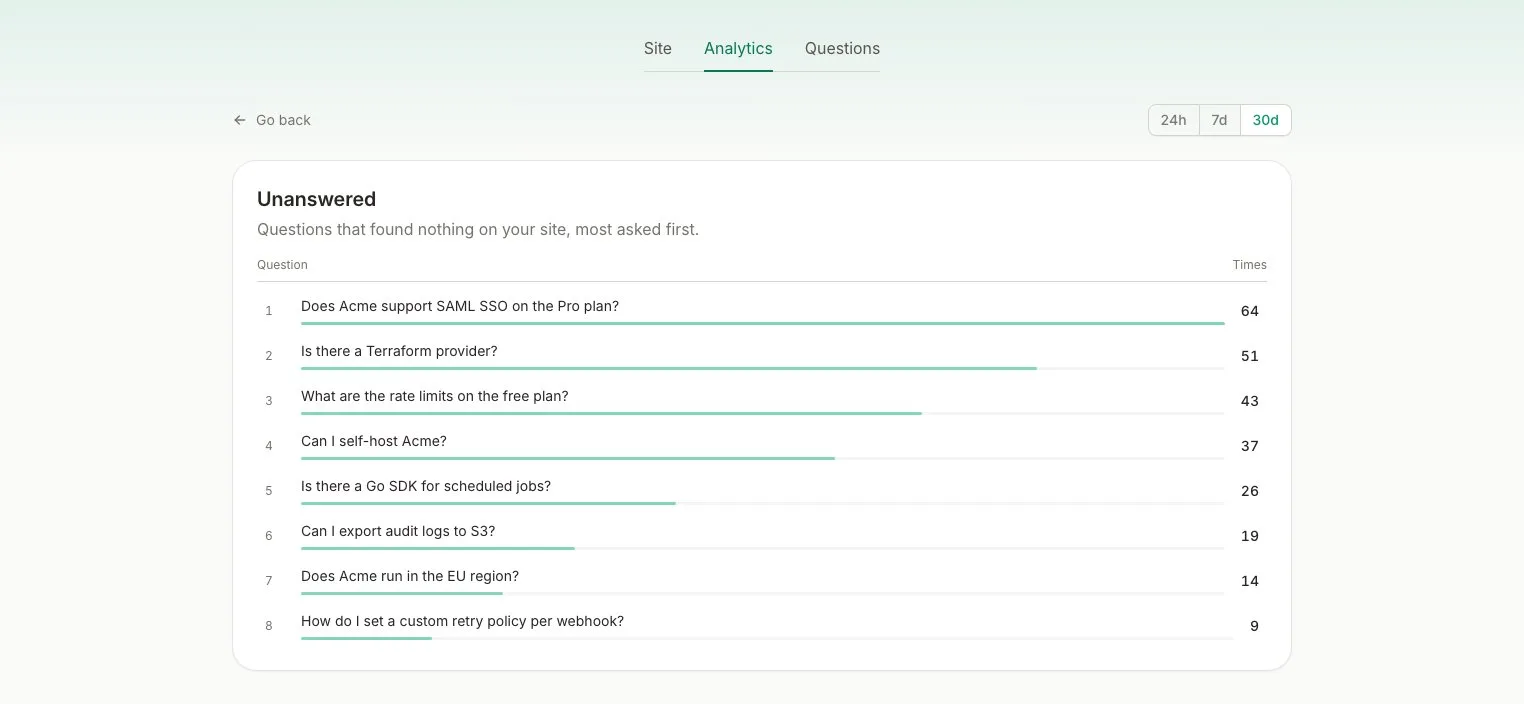
The Unanswered list is your to-do list. Each question in it is something agents wanted to know and your website didn’t say. Add a page for it, and the next agent that asks gets an answer.
Questions#
The Questions tab lists every question, newest first. Search the questions, or filter them by agent. Click a question to read the answer the agent got back.
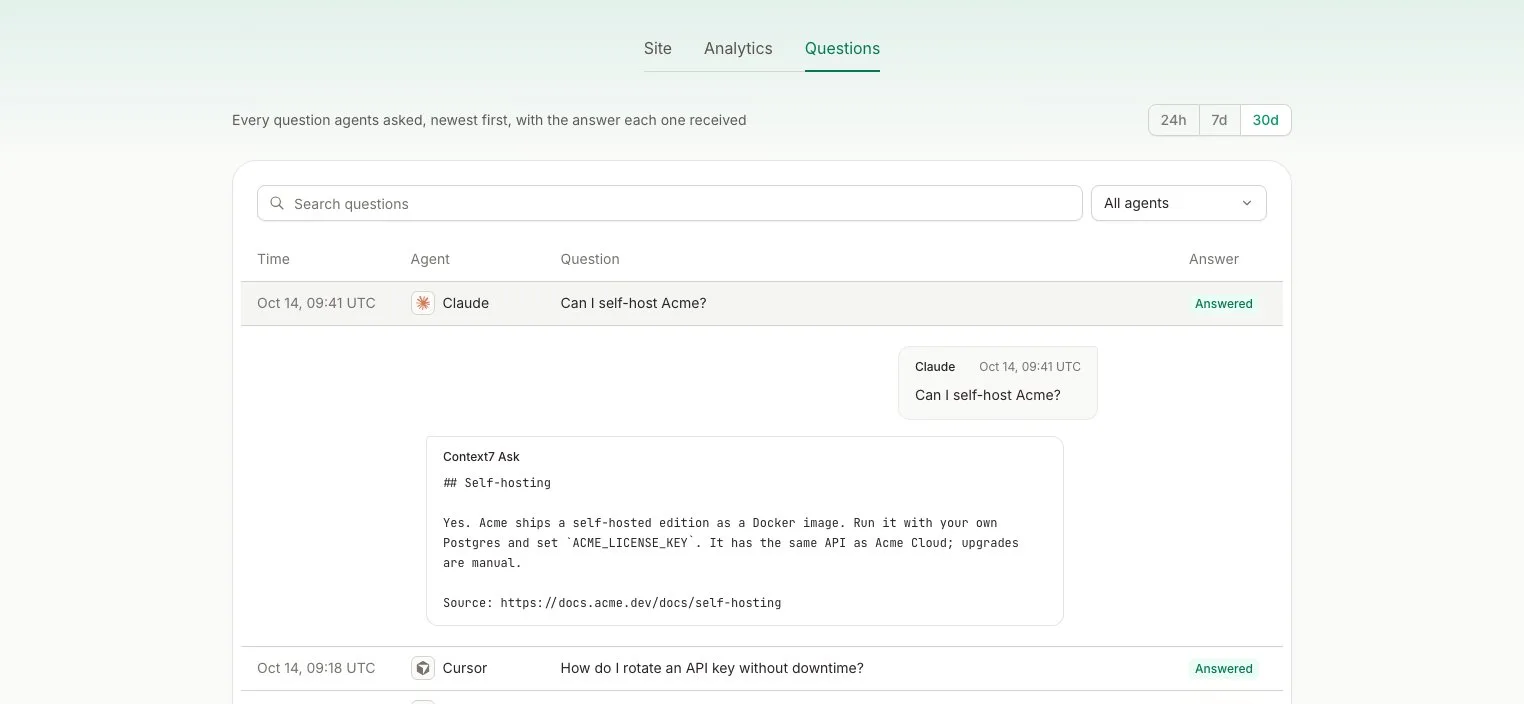
Each question is marked Answered or No match. We keep questions for 60 days.
Agents#
Ask recognizes Claude, OpenAI, Perplexity, Cursor, OpenCode, Meta, Mistral and Grok by name. A question from a browser shows as Browser, and one from any other agent shows as Unknown.