

Query Privacy
Your original prompts and code stay with your AI assistant. When you use Context7 through an MCP client, the AI assistant (not the user directly) formulates search queries to retrieve relevant documentation. Here is what happens:- Your prompt is processed locally by your AI assistant (e.g., Cursor, Claude Code)
- The AI assistant formulates a search query and library name based on your request
- Only these formulated queries are sent to the Context7 API — your full prompt, source code, and conversation history are never transmitted
- The MCP tool descriptions explicitly instruct the AI assistant to strip sensitive information (API keys, passwords, credentials, personal data, and proprietary code) from queries before sending
What is sent to the Context7 API
query— a search query formulated by the MCP client (not your original prompt)libraryNameorlibraryId— the library to look up- API key (if provided, for authentication)
- MCP client name and version (e.g., IDE info, for analytics)
- Transport type (
stdioorhttp) - Client IP address, encrypted with AES-256-CBC (HTTP transport only, for rate limiting)
The MCP client formulates search queries on your behalf and is instructed not to include
sensitive or confidential information. Your full prompts, code, and conversation context
remain with your AI assistant and are never sent to Context7.
Use of MCP Queries
The search queries formulated by the MCP client (not your original prompts) are used server-side in two ways: Documentation Reranking MCP-formulated queries are passed to LLMs to rerank and select the most relevant documentation for your request. Context7 uses well-known, trusted LLM providers for this purpose — including OpenAI, Google Gemini, and Anthropic. Benchmarking and Quality Improvement MCP-formulated queries are anonymously stored and used to benchmark retrieval accuracy and improve the documentation matching pipeline over time.Enterprise Controls
- On-premise Enterprise plans can use their own LLM provider for code extraction and private library ranking
- On-premise Enterprise plans can disable public documentation usage, limiting context retrieval to privately indexed documentation only
- Enterprise plans can disable query storage for benchmarking — however, this may affect the quality of context retrieval over time
Customizing What Is Shared
The Context7 MCP server is open source. If you want full control over what is sent as thequery parameter, you can:
- Fork the Context7 MCP repository
- Edit the tool input descriptions in
packages/mcp/src/index.ts— these descriptions instruct the AI assistant on how to formulate the query - Build and run your custom MCP server locally
Customizing What Is Retrieved
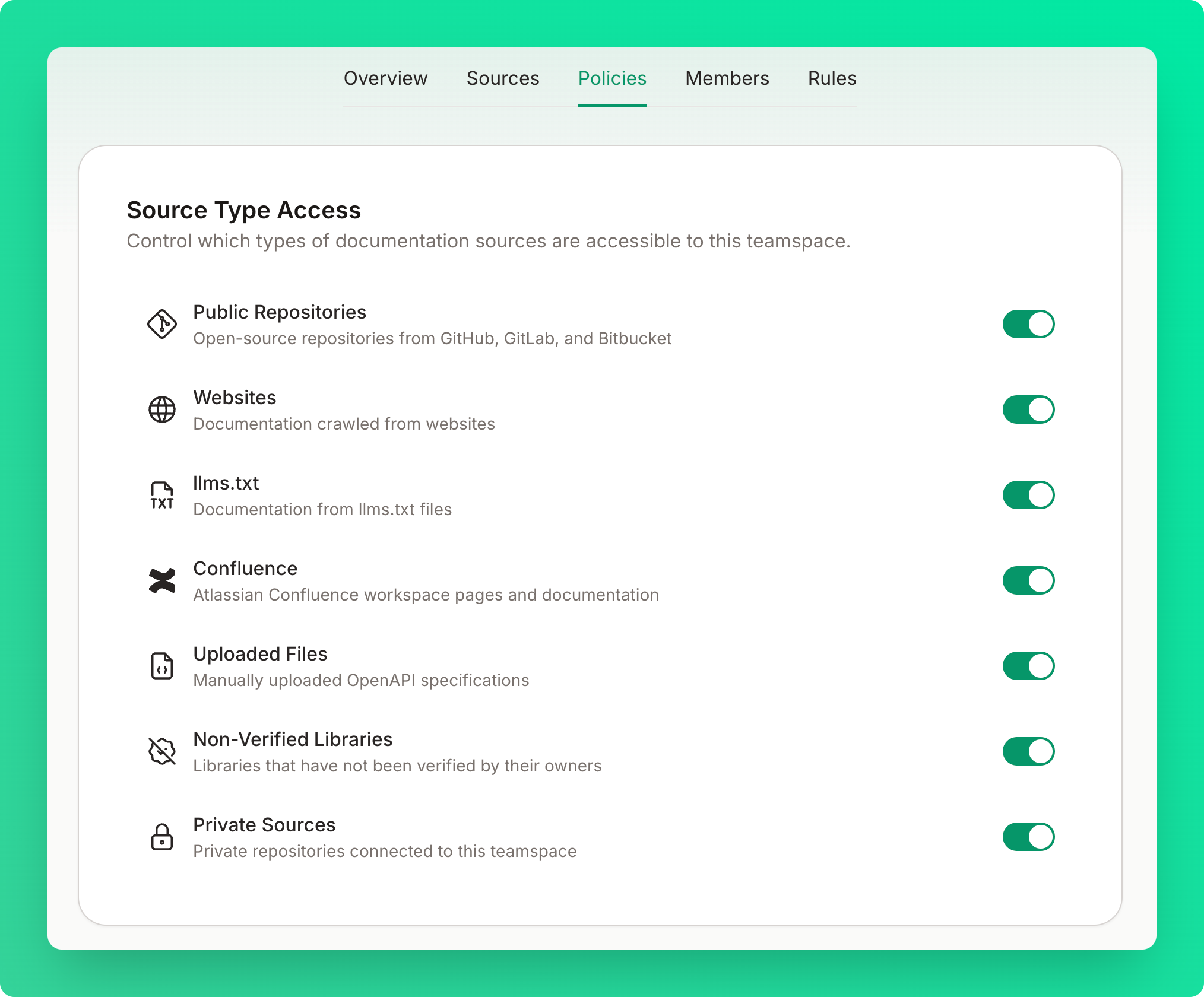
You can control retrieval scope from the Policies tab on your teamspace dashboard.Source Type Access
Toggle which types of documentation sources are accessible to your teamspace:- Public Repositories — open-source repositories from GitHub, GitLab, and Bitbucket
- Websites — documentation crawled from websites
- llms.txt — documentation from llms.txt files
- Confluence — Atlassian Confluence workspace pages and documentation
- Uploaded Files — manually uploaded OpenAPI specifications
- Non-Verified Libraries — libraries that have not been verified by their owners
- Private Sources — private sources connected to this teamspace
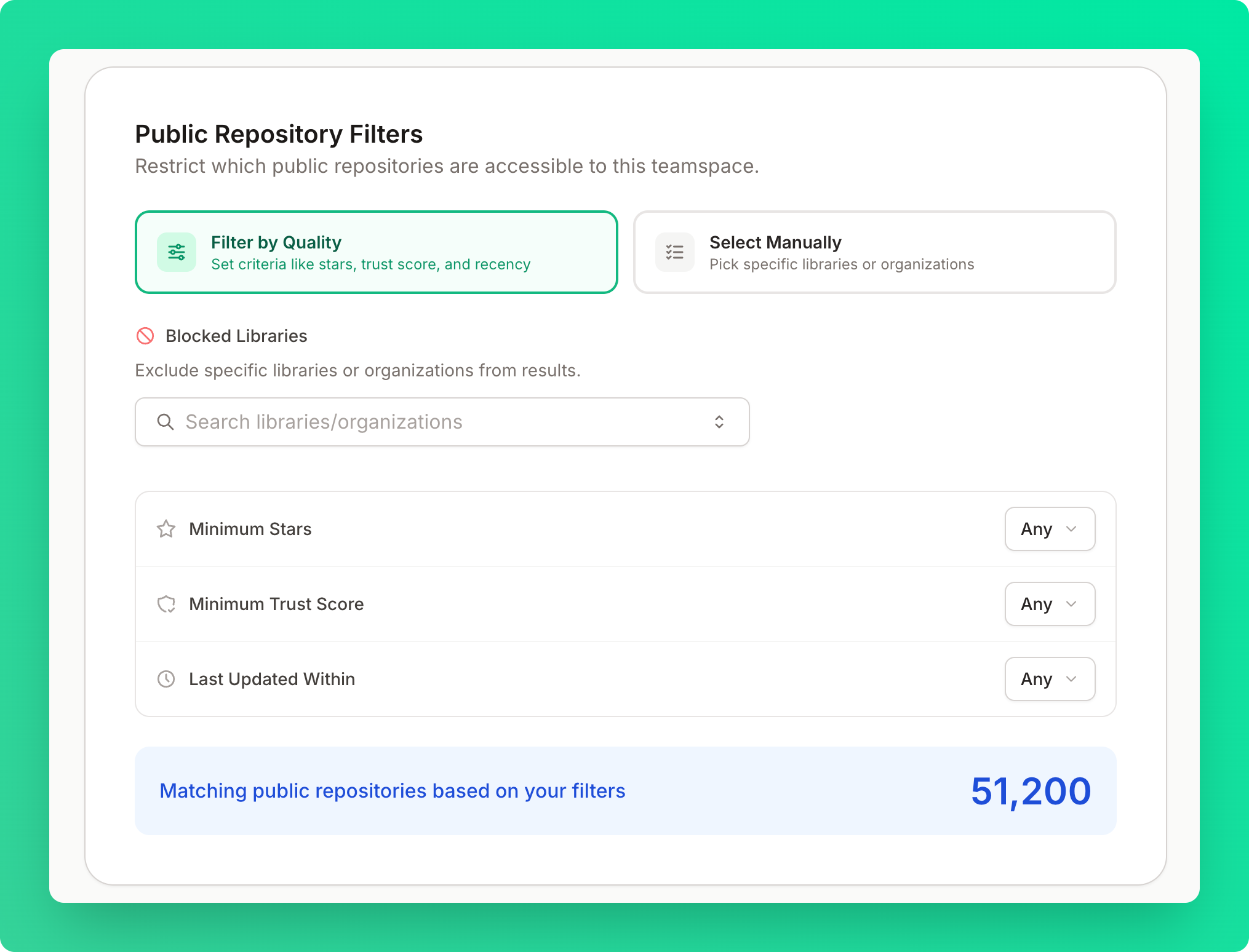
Public Repository Filters
Restrict which public repositories are accessible to your teamspace. You can choose between two modes:- Filter by Quality — set criteria like minimum stars, minimum trust score, and recency or block specific libraries or organizations from appearing in results
- Select Manually — pick specific libraries or organizations
Data Handling
Data Storage
Context7 does not store your source files.- We only index and store documentation and code examples from repositories
- Your code, and source files are not stored or shared
- All indexed content is stored in a secure vector database optimized for retrieval
- Library documentation
- Code examples from documentation
- Metadata about indexed libraries
- Queries formulated by the MCP client
- Your source code
- Your original prompts or conversations
- Your conversations with AI assistants
Privacy by Design
- Data Minimization: We only collect and store what’s necessary
- Purpose Limitation: Documentation data is used only for documentation retrieval
- Storage Limitation: Automated cleanup of outdated data
- Transparency: Clear documentation of what we collect and why
GDPR Compliance
Context7 provides:- The right to access your data
- The right to delete your data
- Data portability options
- Clear consent mechanisms
- Privacy-first data processing
Data Residency
All indexed documentation and metadata are stored within Upstash’s SOC 2 compliant infrastructure in the United States and the European Union. Cross-border data transfers comply with the EU General Data Protection Regulation (GDPR) and the EU-U.S. Data Privacy Framework (DPF), and enterprise customers can request region-specific data residency to meet local regulatory requirements.Data Retention
- Library Documentation: Retained while the library is active and public
- API Logs: Retained for 30 days for debugging and analytics
- User Data: Retained according to your account status
- Deleted Data: Permanently removed within 30 days of deletion request