

Docs7 supports the docs.json format that was established by Mintlify. We also support options beyond this spec to make your documentation easier to navigate and to create custom content groups.
Validate docs.json in your editor#
Point $schema at the Docs7 schema. Your editor then completes and checks the Mintlify fields and the Docs7-only fields on this page.
Group products#
Product groups add a product switcher to the sidebar. A reader picks a product, and the sidebar shows only the pages for that product.
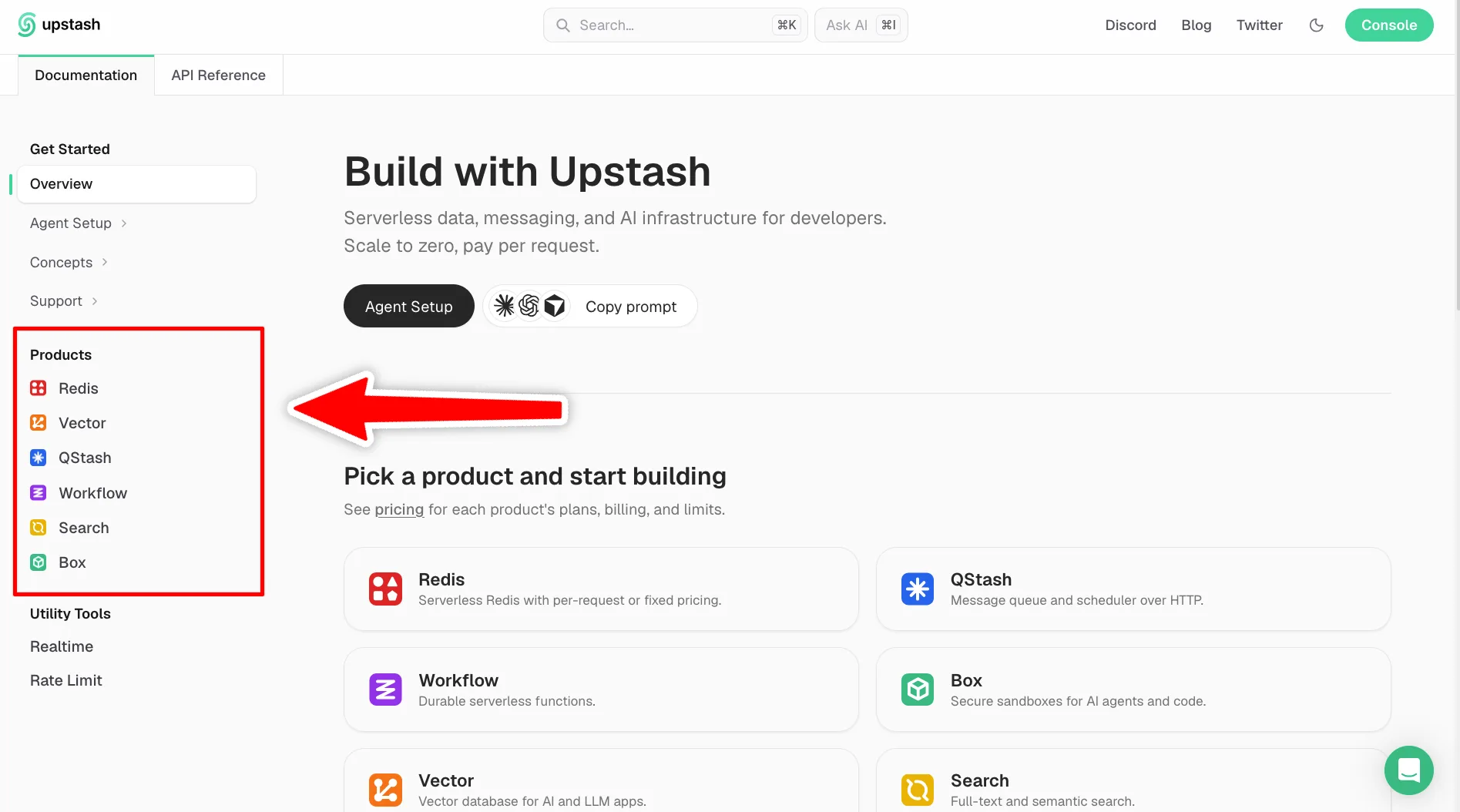
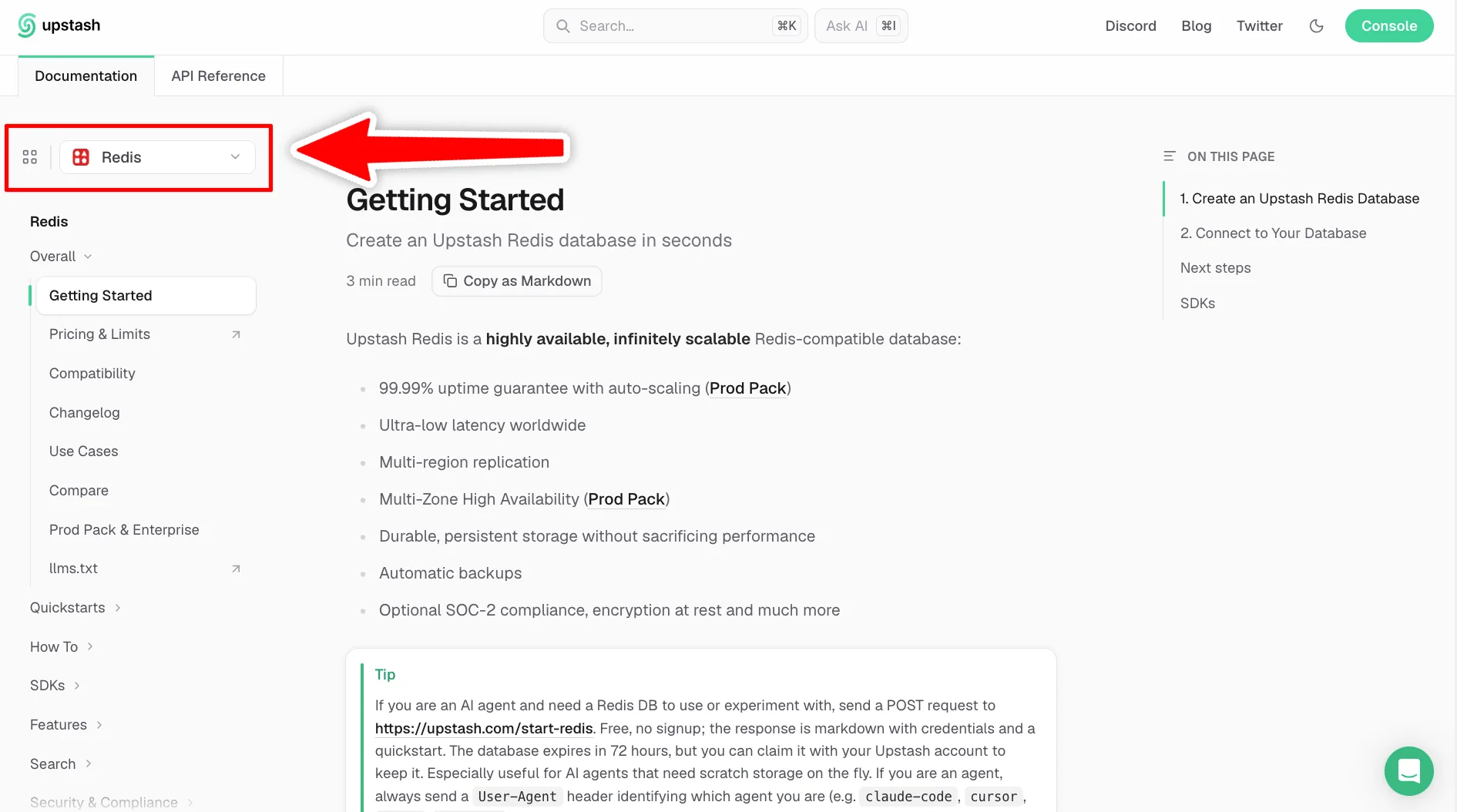
To set this up, add a productGroups list to one tab. That tab shows the product switcher. The tab’s own pages fill the sidebar until the reader picks a product. Each product then lists its own pages. If your docs have several versions or languages, add the list to one tab in each of them.
In this example:
- The Documentation tab shows the product switcher. Until the reader picks a product, the sidebar shows the index page.
- Redis and Rate Limit are the two products. Each one lists the pages that appear when it is selected.
- The API Reference tab is a normal tab and does not use product groups.
Rules:
- Each product needs either a list of pages or a list of groups, not both.
- That list must have at least one entry.
- Inside one tab, product names must be unique, and group names must be unique.
If you do not add product groups, Docs7 uses your regular navigation.
Enable sidebar filtering#
Set filterSidebar to true to add a filter above the sidebar. Readers can press / to focus it.
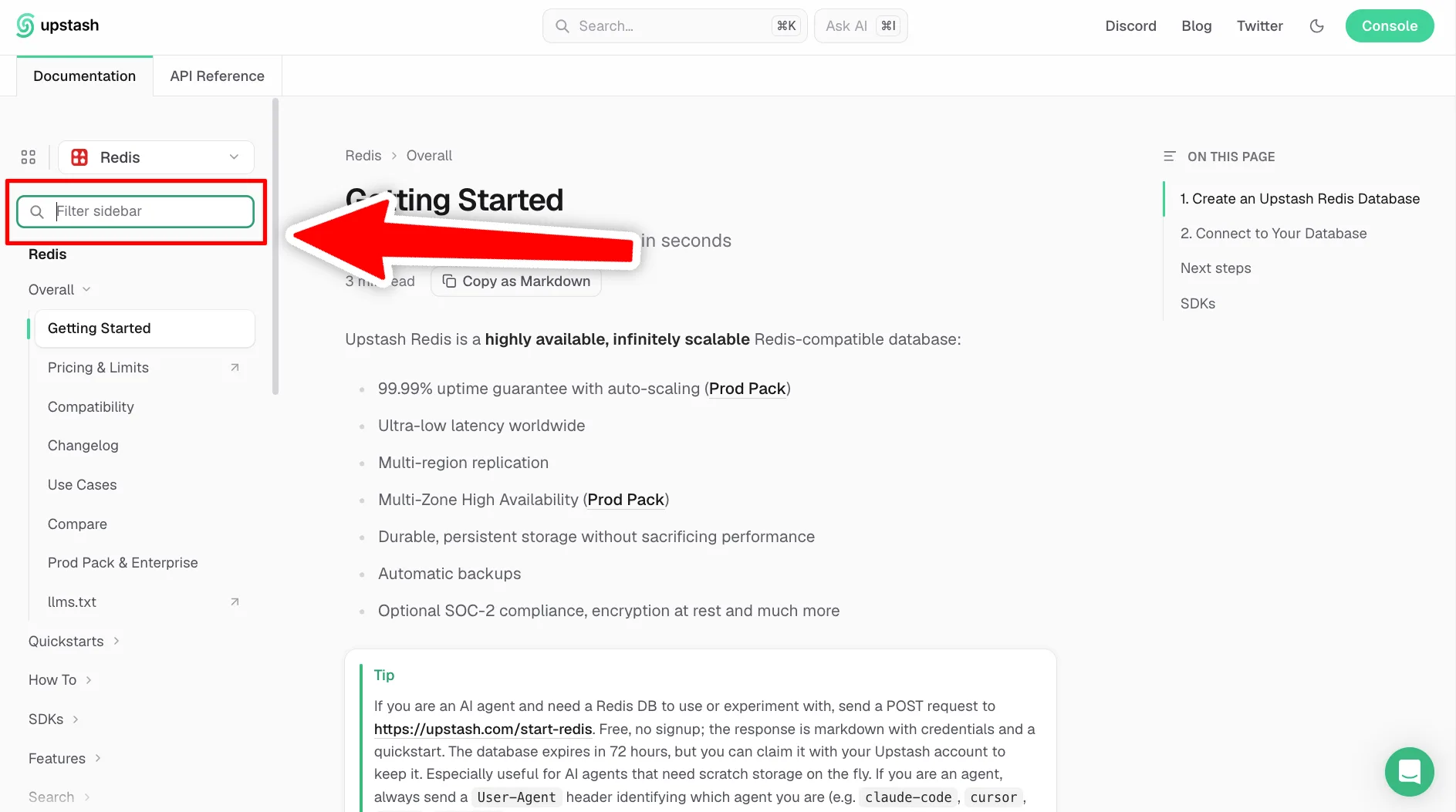
The default value is false.
Show Docs7 attribution#
Set poweredByDocs7 to true to add a Built with Docs7 link to the footer. The link opens the Docs7 page.
The default value is false. Docs7 always shows this link for sites on the Free plan.
Ask for cookie consent#
Set consentBanner to true to ask visitors for cookie consent before your analytics and marketing integrations load.
New visitors see a banner with Reject all, Accept all, and Customize. Customize lets them turn each category on or off:
- Analytics: Adobe Analytics, Google Analytics, Google Tag Manager, Heap, Microsoft Clarity, Plausible, and Segment.
- Marketing: Clearbit and Koala.
An integration loads only after the visitor accepts its category. The footer shows a Cookie settings link, so visitors can change their choice at any time.
The banner shows only when your site uses at least one of these integrations. It does not show in previews.
The banner does not control Intercom. The Intercom chat widget loads for every visitor, with or without the banner.
The default value is false. Without the banner, your integrations load for every visitor.