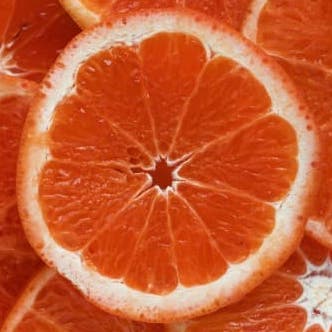
The orange is the fruit of various citrus species in the family Rutaceae; it primarily refers to Citrus × sinensis, which is also called sweet orange, to distinguish it from the related Citrus × aurantium, referred to as bitter orange.
``` ### demo.py ```python import tkinter as tk from tkhtmlview import HTMLText, RenderHTML root = tk.Tk() html_label = HTMLText(root, html=RenderHTML('index.html')) html_label.pack(fill="both", expand=True) html_label.fit_height() root.mainloop() ``` ``` -------------------------------- ### Methods Source: https://pypi.org/project/tkhtmlview Documentation for the methods available in tkhtmlview widgets. ```APIDOC ### Methods #### def set_html(self, html, strip=True) > **Description:** Sets the text in HTML format. > > **Args:** > * _html_ : input HTML string > * _strip_ : if True (default) handles spaces in HTML-like style > #### def fit_height(self) > **Description:** Fit widget height in order to display all wrapped lines ``` -------------------------------- ### RenderHTML Class Source: https://pypi.org/project/tkhtmlview/0.3.2 Utility class to render HTML content from a file. ```APIDOC ## RenderHTML(file_path) ### Description Processes an HTML file to be used as input for tkhtmlview widgets. ### Parameters - **file_path** (string) - Required - The path to the .html file to be rendered. ``` -------------------------------- ### fit_height Method Source: https://pypi.org/project/tkhtmlview/0.3.2 Adjusts the widget height to display all wrapped lines. ```APIDOC ## fit_height() ### Description Adjusts the widget height in order to display all wrapped lines without clipping. ``` -------------------------------- ### set_html Method Source: https://pypi.org/project/tkhtmlview/0.3.2 Sets the content of the widget using an HTML string. ```APIDOC ## set_html(html, strip=True) ### Description Sets the text content of the widget in HTML format. ### Parameters - **html** (string) - Required - The input HTML string to be rendered. - **strip** (boolean) - Optional - If True (default), handles spaces in HTML-like style. ``` -------------------------------- ### Widget Classes Source: https://pypi.org/project/tkhtmlview Overview of the available Tkinter widget classes that support HTML rendering. ```APIDOC ## Documentation ### Classes All widget classes inherits from the tkinter.Text() base class. #### class HTMLScrolledText(tkinter.Text) > Text-box widget with vertical scrollbar #### class HTMLText(tkinter.Text) > Text-box widget without vertical scrollbar #### class HTMLLabel(tkinter.Text) > Text-box widget with label appearance #### class RenderHTML > RenderHTML class will render HTML from .html file for the widgets. ``` -------------------------------- ### HTML Support Source: https://pypi.org/project/tkhtmlview Details on the subset of HTML tags and attributes supported by tkhtmlview. ```APIDOC ### HTML support Only a subset of the whole HTML tags and attributes are supported (see table below). Where is possibile, I hope to add more HTML support in the next releases. **Tags** | **Attributes** | **Notes** ---|---|--- a | style, href | b | style | br | | code | style | div | style | em | style | h1 | style | h2 | style | h3 | style | h4 | style | h5 | style | h6 | style | i | style | img | src, width, height | experimental support for remote images li | style | mark | style | ol | style, type | 1, a, A list types only p | style | pre | style | span | style | strong | style | u | style | ul | style | bullet glyphs only table,tr,th,td | - | basic support > Note: All styles are not supported; align with justify is not supported; it falls back to left align ``` -------------------------------- ### Render HTML from File in Tkinter Source: https://pypi.org/project/tkhtmlview/0.3.2 Use HTMLText widget with RenderHTML to display content from an HTML file. Ensure the HTML file is correctly formatted and accessible. ```html
The orange is the fruit of various citrus species in the family Rutaceae; it primarily refers to Citrus × sinensis, which is also called sweet orange, to distinguish it from the related Citrus × aurantium, referred to as bitter orange.
``` ```python import tkinter as tk from tkhtmlview import HTMLText, RenderHTML root = tk.Tk() html_label = HTMLText(root, html=RenderHTML('index.html')) html_label.pack(fill="both", expand=True) html_label.fit_height() root.mainloop() ``` -------------------------------- ### Display HTML in Tkinter Label Source: https://pypi.org/project/tkhtmlview/0.3.2 Use HTMLLabel to display simple HTML content directly within a Tkinter window. Call fit_height() to adjust the widget's height to fit its content. ```python import tkinter as tk from tkhtmlview import HTMLLabel root = tk.Tk() html_label = HTMLLabel(root, html='