> ## Documentation Index
> Fetch the complete documentation index at: https://context7.com/docs/llms.txt
> Use this file to discover all available pages before exploring further.
# Manage Your Teamspace
> Invite members and manage teamspace permissions
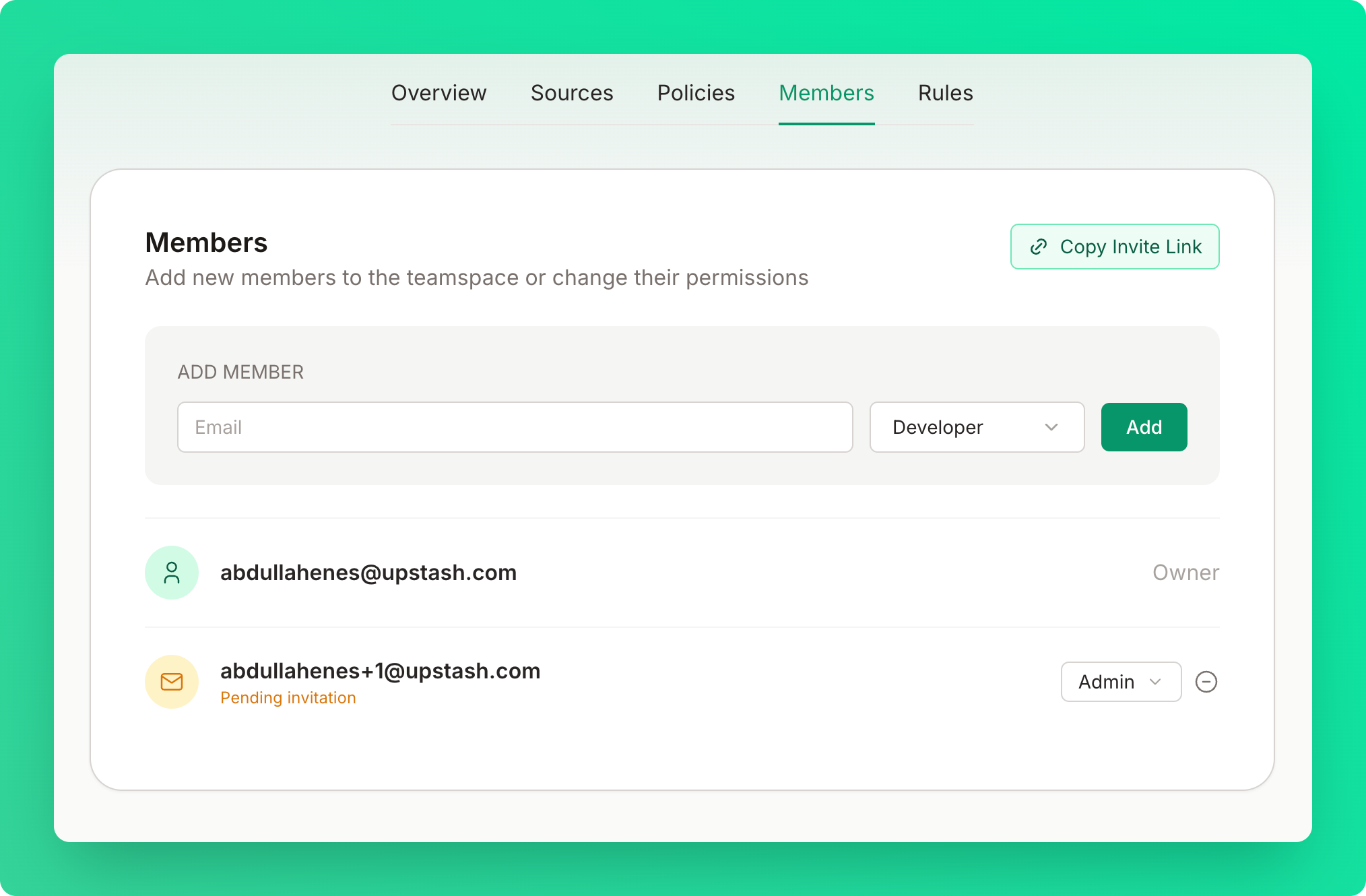
Add team members, assign roles, and manage access to your Context7 dashboard from the [members tab](https://context7.com/dashboard?tab=members).
 ## Creating a Teamspace
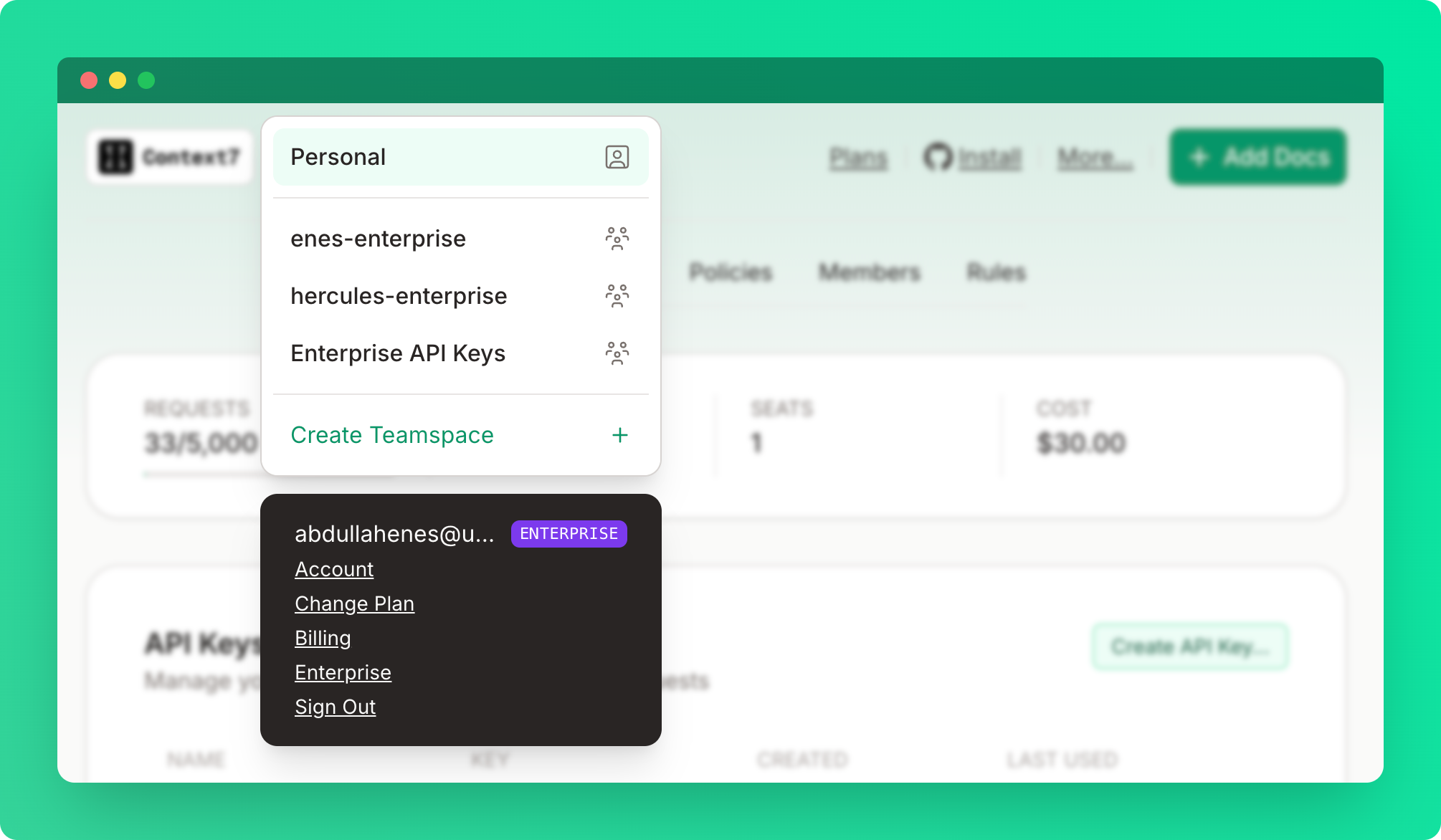 1. Click "Create a teamspace" from the top left dropdown
2. Enter teamspace name
You must have a Pro or Enterprise plan to create a teamspace. Only the teamspace owner needs a paid plan — invited members don't need their own subscription. Once added, all members automatically benefit from the team's Pro or Enterprise limits.
## Roles
| Permission | Owner | Admin | Developer |
| --------------------- | ----- | ----- | --------- |
| View dashboard | ✓ | ✓ | ✓ |
| Create API keys | ✓ | ✓ | ✓ |
| Manage team members | ✓ | ✓ | ✗ |
| Manage library access | ✓ | ✓ | ✗ |
| Manage private repos | ✓ | ✓ | ✗ |
| Rename teamspace | ✓ | ✗ | ✗ |
| Delete teamspace | ✓ | ✗ | ✗ |
## Inviting Members
1. Enter member email
2. Select role (Developer or Admin)
3. Click "Add"
4. Member receives an invitation email
5. Once they sign in, they are automatically added to the teamspace
The invitation will remain pending until they sign in.
## Teamspace Settings
If you are the owner of the teamspace, you can rename or delete the teamspace under the overview tab.
1. Click "Create a teamspace" from the top left dropdown
2. Enter teamspace name
You must have a Pro or Enterprise plan to create a teamspace. Only the teamspace owner needs a paid plan — invited members don't need their own subscription. Once added, all members automatically benefit from the team's Pro or Enterprise limits.
## Roles
| Permission | Owner | Admin | Developer |
| --------------------- | ----- | ----- | --------- |
| View dashboard | ✓ | ✓ | ✓ |
| Create API keys | ✓ | ✓ | ✓ |
| Manage team members | ✓ | ✓ | ✗ |
| Manage library access | ✓ | ✓ | ✗ |
| Manage private repos | ✓ | ✓ | ✗ |
| Rename teamspace | ✓ | ✗ | ✗ |
| Delete teamspace | ✓ | ✗ | ✗ |
## Inviting Members
1. Enter member email
2. Select role (Developer or Admin)
3. Click "Add"
4. Member receives an invitation email
5. Once they sign in, they are automatically added to the teamspace
The invitation will remain pending until they sign in.
## Teamspace Settings
If you are the owner of the teamspace, you can rename or delete the teamspace under the overview tab.
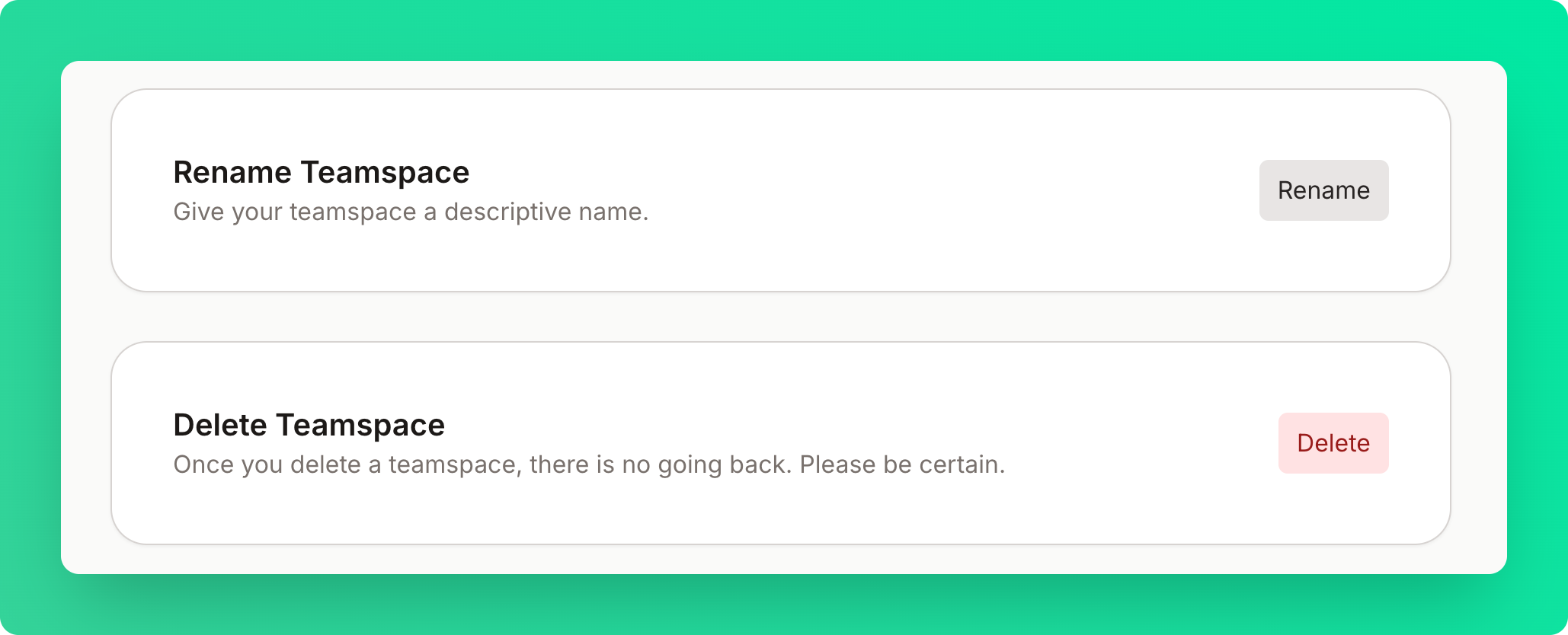 Deleting a teamspace is permanent. All members lose access immediately.
## Limits
| Plan | Max Members |
| ---------- | ----------------- |
| Free | 1 (personal only) |
| Pro | 10 |
| Enterprise | Unlimited |
Deleting a teamspace is permanent. All members lose access immediately.
## Limits
| Plan | Max Members |
| ---------- | ----------------- |
| Free | 1 (personal only) |
| Pro | 10 |
| Enterprise | Unlimited |